
Your CareLinc Supply Reminders Are Getting a New Look
We’re updating the way we remind you to reorder your sleep therapy (PAP) supplies. Our new text and email reminders will let you review your supplies, confirm your information, and submit your reorder through a link in your message.
The transition begins November 2, 2026, and will happen in stages, with all patients expected to move to the new program by early 2027. That means you may receive the new reminders before or after someone else does.
There’s nothing you need to do to enroll. We’ll move you to the new program automatically.
Need supplies before your new reminder arrives?
You can continue ordering through your usual CareLinc refill channels. You do not need to wait for a new text or email to request supplies.
What will the new reminders look like?
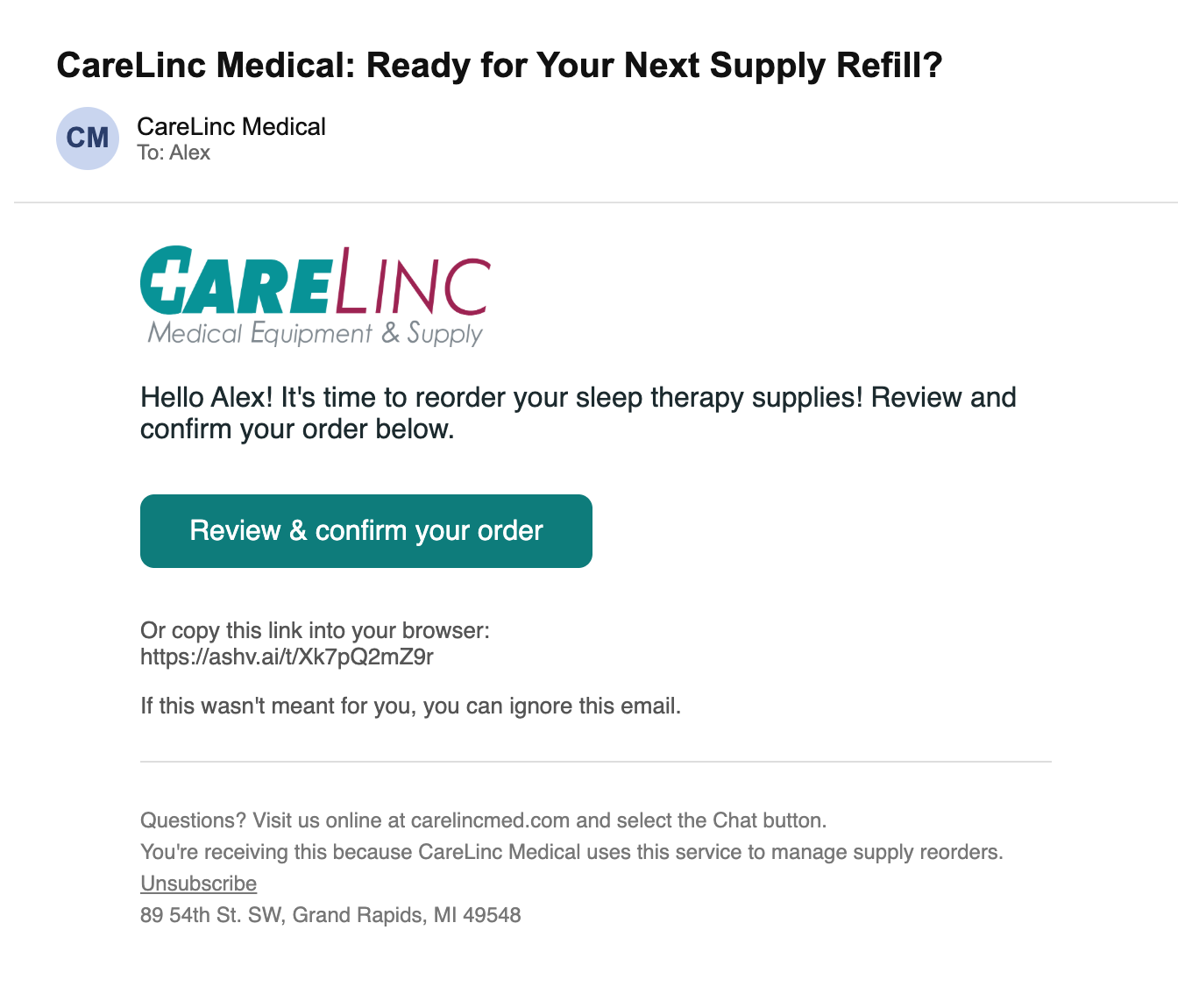
Your reminders will identify CareLinc and include a link to review your reorder. Watch for messages from:
-
Text: 607-454-5246
Save these details so you can recognize future reminders.
Scroll sideways through the steps below. Select any image to view a larger version.
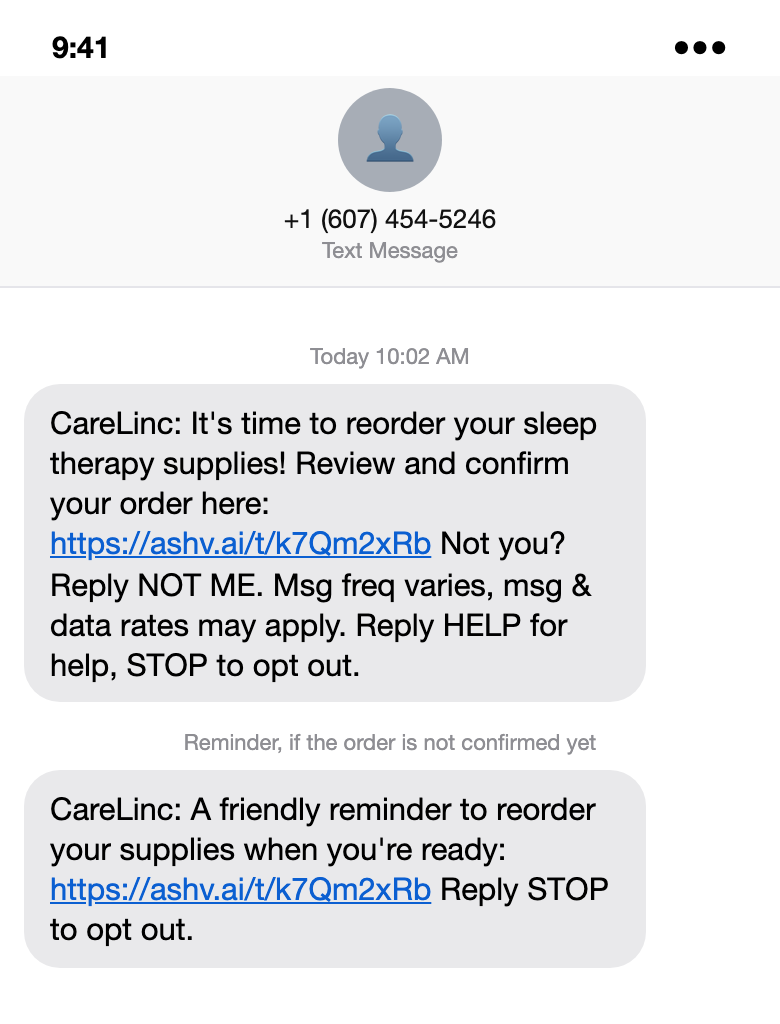
Your text includes a link to review and confirm your supply reorder.
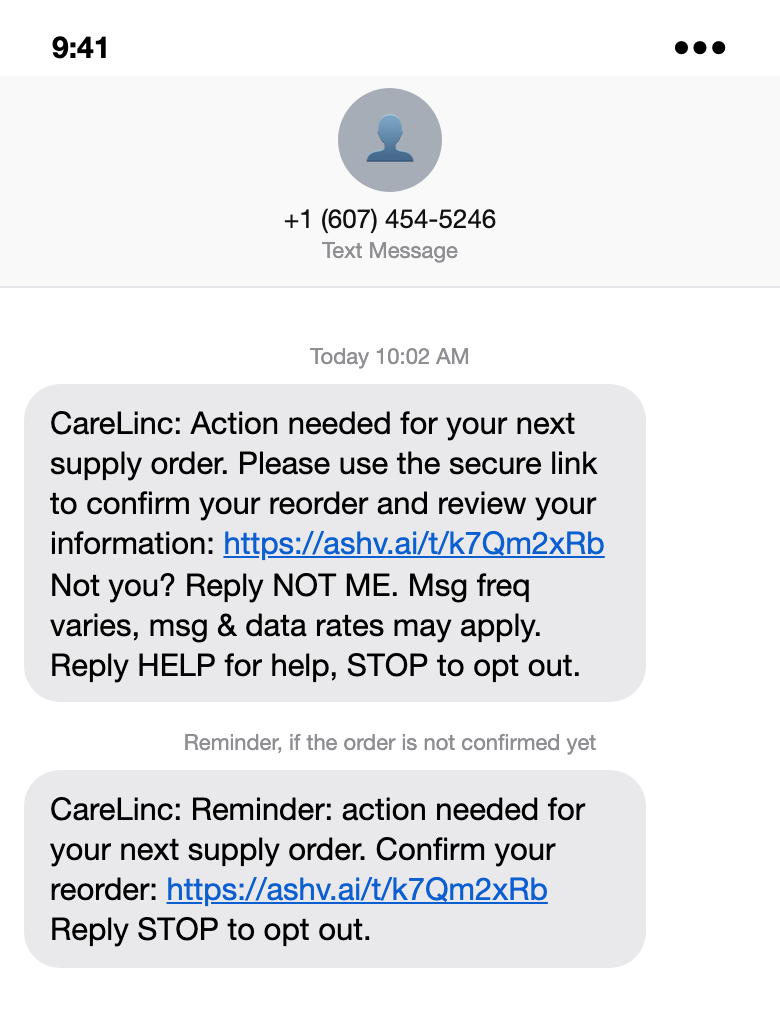
Some messages ask you to confirm your reorder and review your information.
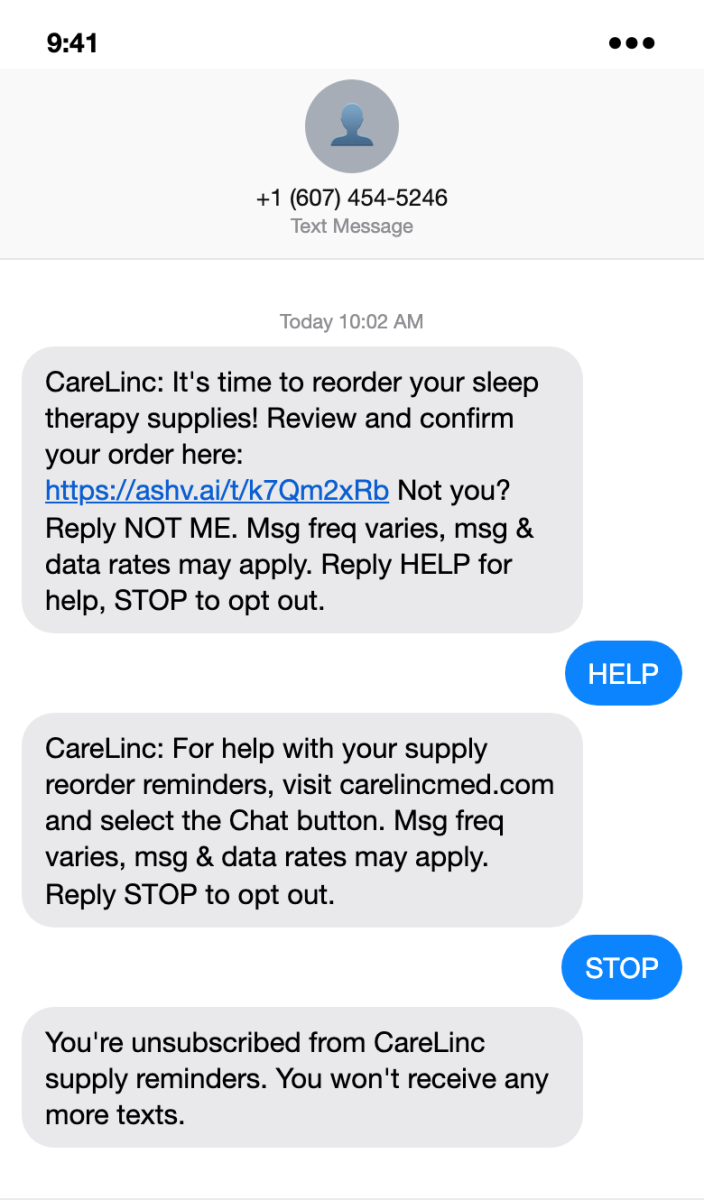
Reply HELP for help information or STOP to unsubscribe from supply reminder texts.
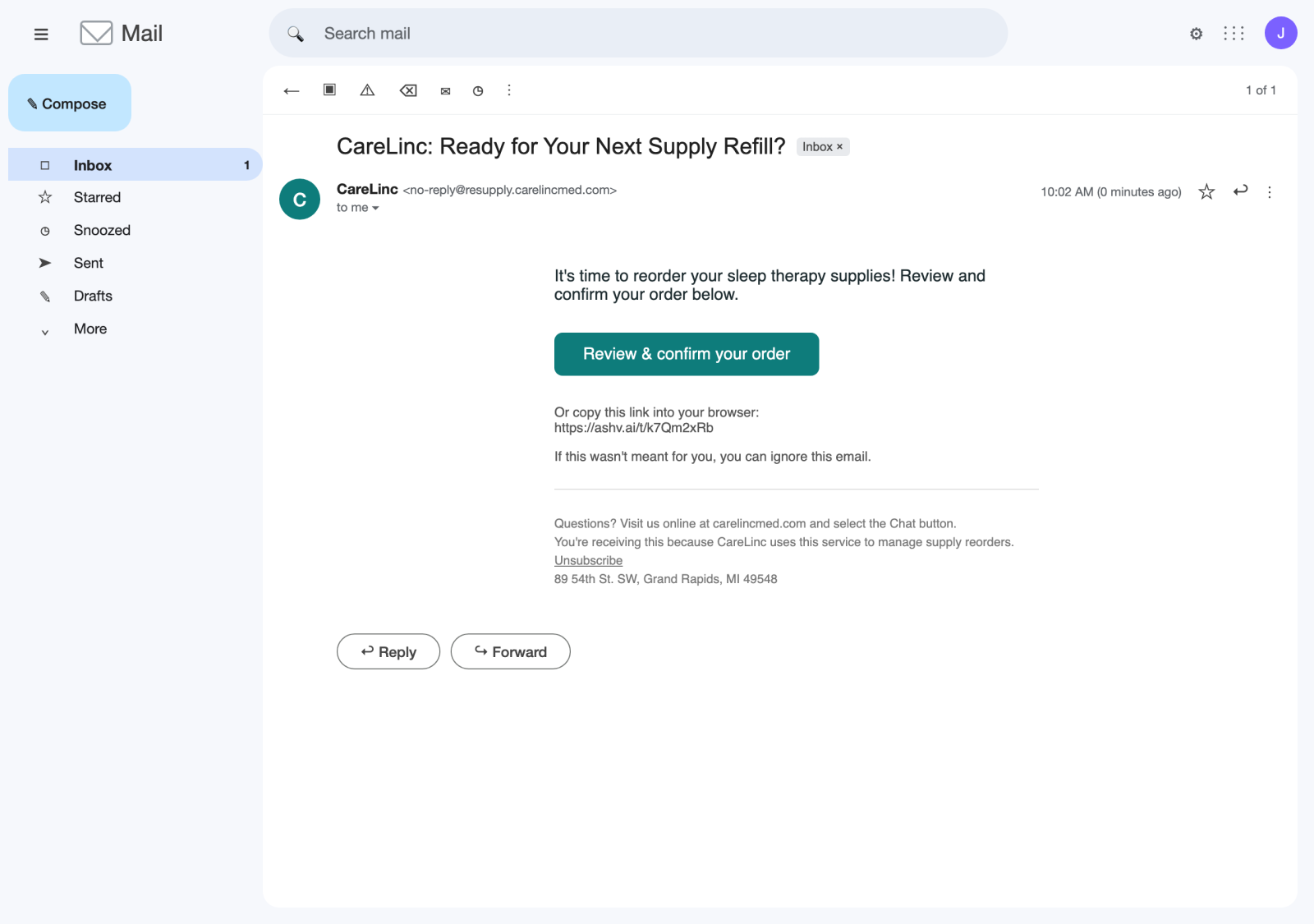
Select “Review & confirm your order” to review your supplies.
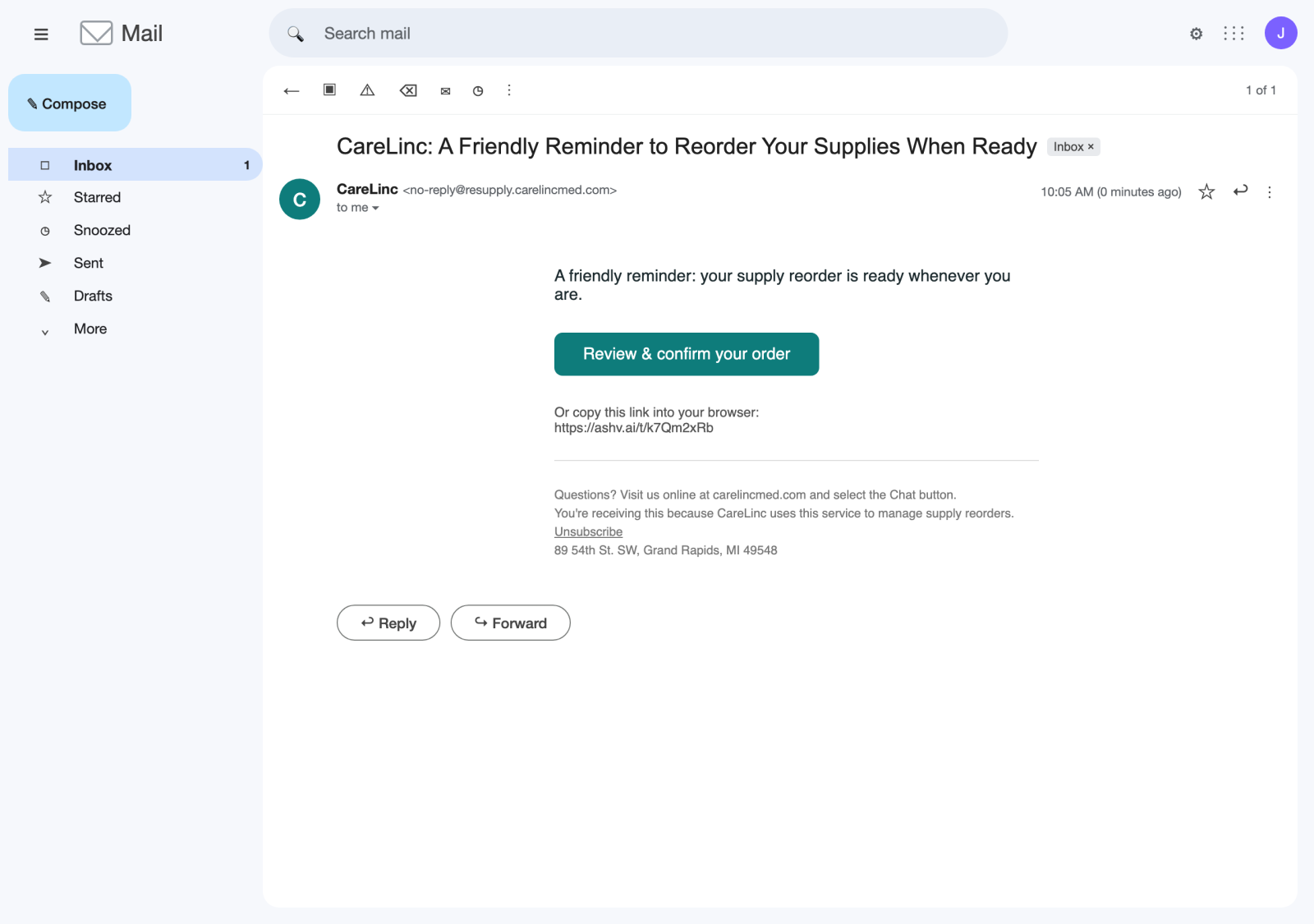
You may receive a follow-up reminder if you haven’t confirmed your reorder.
These images are examples. Your supplies and order details may differ.
If you’re unsure whether a message came from CareLinc, visit carelincmed.com directly and select Chat. Our team can help you verify it.
How do I review my reorder?
When your new reminder arrives:
-
Open the link in your CareLinc text or email.
-
Verify your identity by entering your date of birth when prompted.
-
Review your supplies. Check the items and quantities, and remove anything you don’t need this time.
-
Check your delivery address and insurance information. Update any details that have changed.
-
Confirm and submit. If you make changes, save them and finish submitting your response. Continue until you see the confirmation screen.
Receiving a reminder does not complete your reorder. Be sure to finish the review and confirmation steps.
Scroll sideways through the steps below. Select any image to view a larger version.
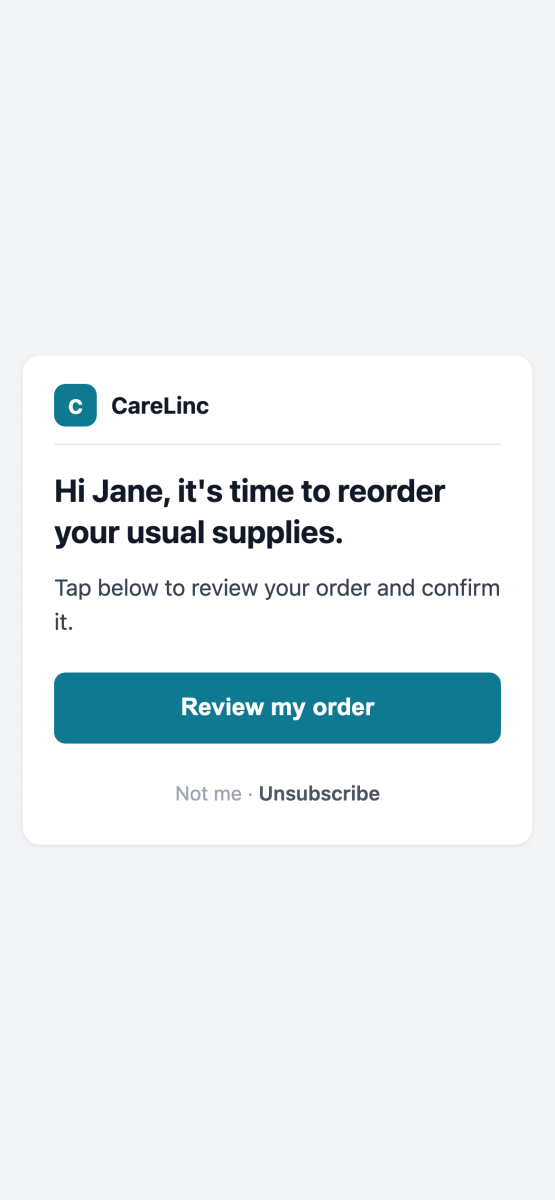
Open the link in your reminder and select “Review my order.”
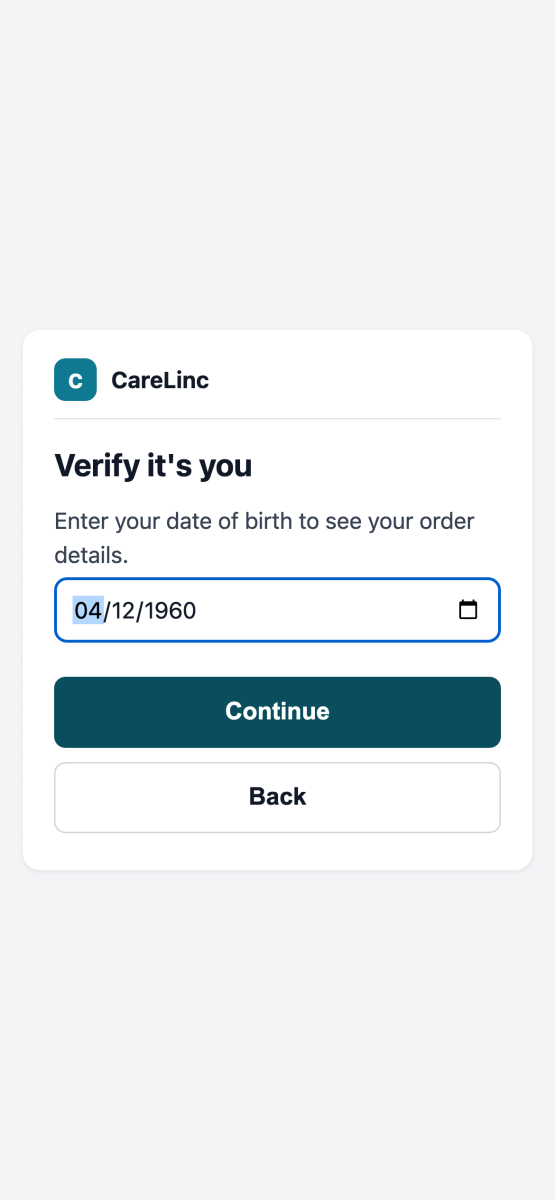
Enter your date of birth and select “Continue” to see your order details.
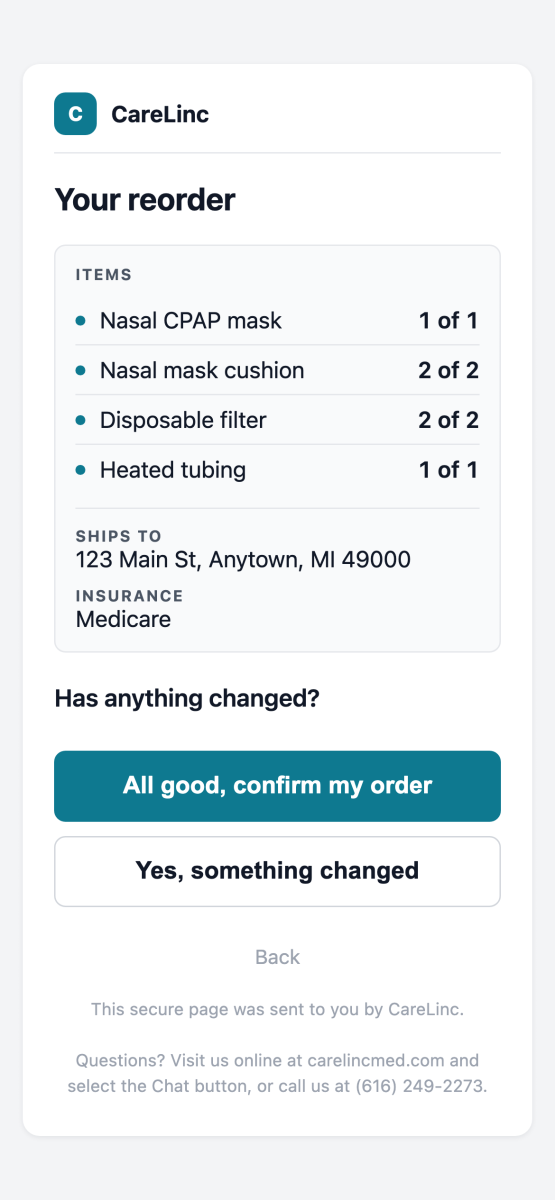
Check your supplies, delivery address, and insurance. If everything is correct and you need the listed supplies, select “All good, confirm my order.” Otherwise, select “Yes, something changed.”
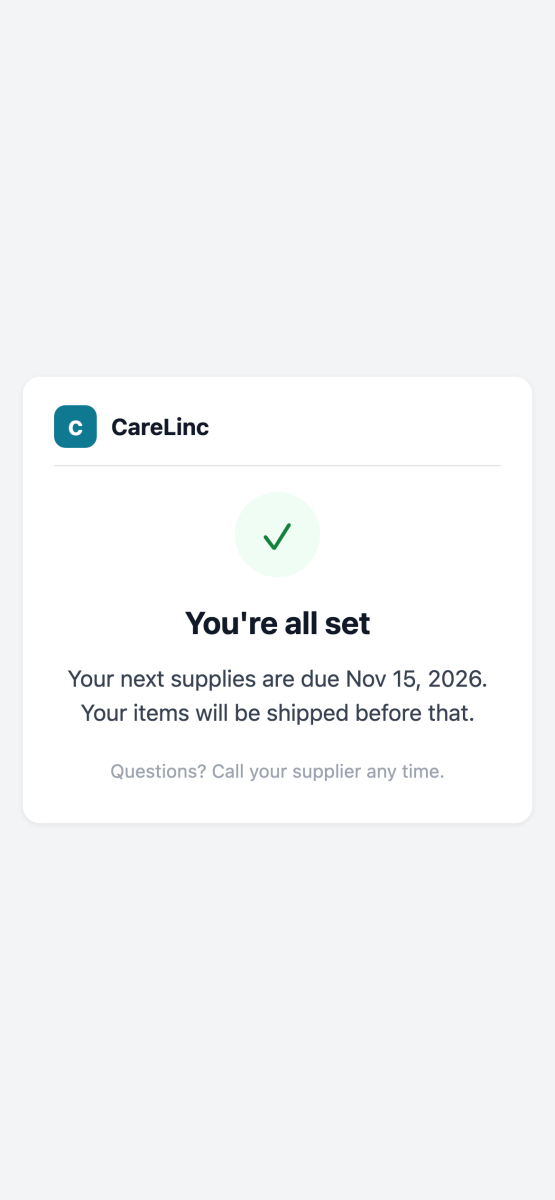
When you see “You’re all set,” you’ve completed your response.
These screenshots show a sample sleep therapy reorder. Your supplies and order details may differ. Some steps will only be shown if you need to make changes or want to skip this order.
Need help? Visit carelincmed.com and select Chat to connect with our team.
Will CareLinc still work with my physician?
Yes! CareLinc will continue contacting your physician directly for updated PAP prescriptions.
What if I haven’t received a new reminder?
Because we’re making this change in stages, not everyone will receive the new messages at the same time. Continue using your usual refill channels until your new reminders begin.
Need a hand?
Whether you have a question about a message, need help reviewing your reorder, or want assistance requesting supplies, we’re here to help.
Visit carelincmed.com and select Chat to connect with our team.